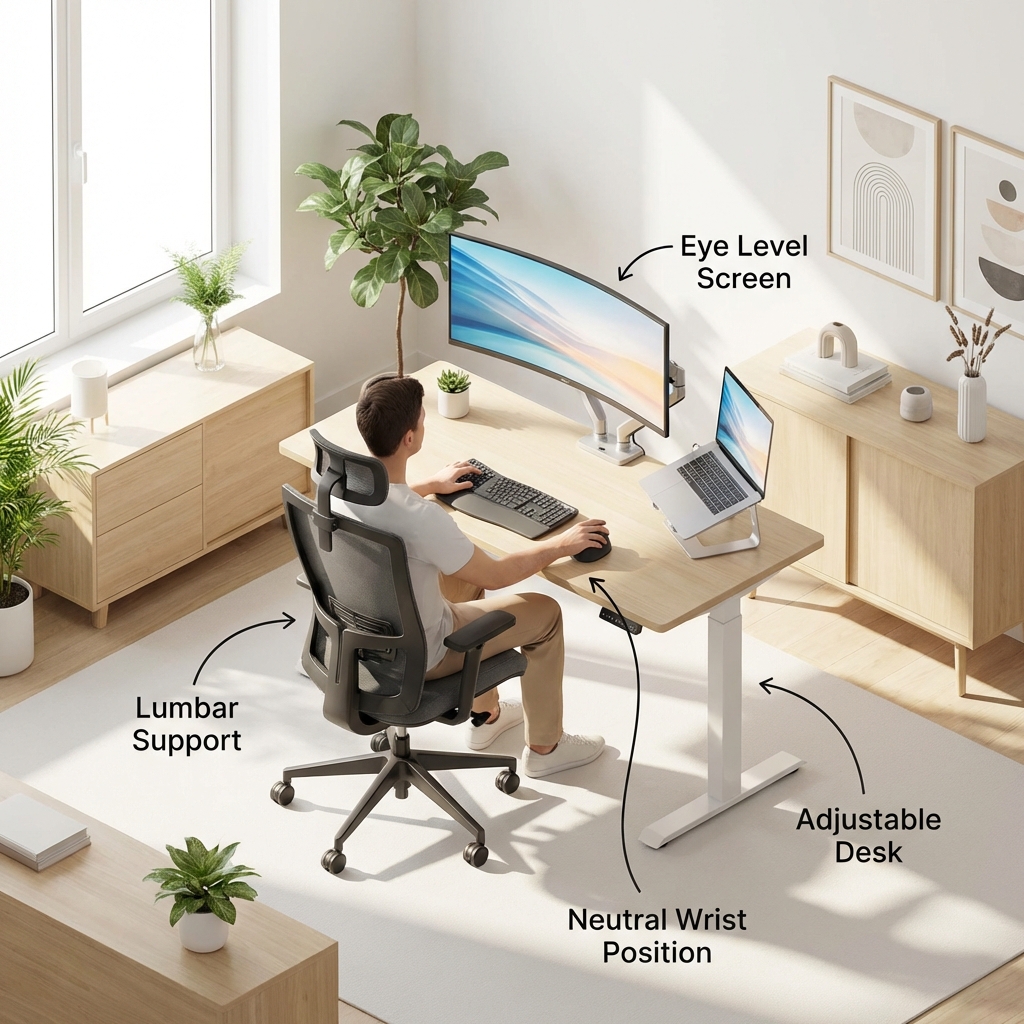
Ergonomic Home Office on a Budget: Your Back Will Thank You
Working from the couch feels luxurious for exactly three days. On day four, your lower back hurts, your neck is stiff, and you have a headache.
Ergonomics isn't about buying expensive gear; it's about geometry. Here is how to fix your setup for under $100.
1. raises Your Screen (Cost: $0 - $30)
The Rule: The top of your monitor should be at or slightly below eye level. The Fix: You don't need a fancy monitor arm. A stack of books works perfectly. If using a laptop, buy a cheap aluminum laptop stand ($20) and use an external keyboard. Looking down at a laptop is the #1 cause of "tech neck."
2. Lumbar Support Hack (Cost: $0 - $15)
The Rule: Your lower back needs a curve. The Fix: Most dining chairs are flat. Roll up a towel and place it behind your lower back. Or, buy a mesh lumbar support attachment from Amazon ($15). It turns a kitchen chair into a passable office chair.
3. Elbow Angles (Cost: $0)
The Rule: Your elbows should be at 90 degrees, and your wrists straight. The Fix: Adjust your chair height. If your feet dangle, put a box or a ream of paper under them. Do not type with your wrists bent upwards; that's the express lane to Carpal Tunnel syndrome.
4. The 20-20-20 Rule (Cost: Free)
Eye strain is part of ergonomics too.
- Every 20 minutes,
- Look at something 20 feet away,
- For 20 seconds.
Investment in your body is the best ROI you will get as a remote worker. Fix your posture today.